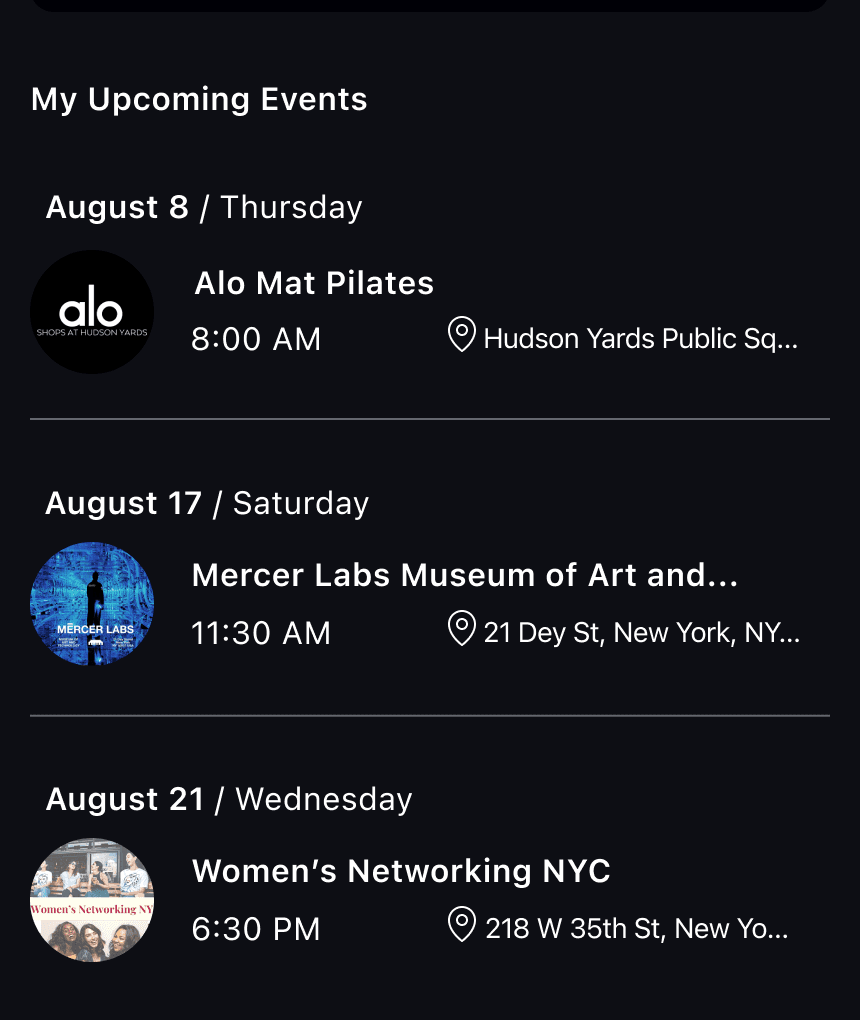
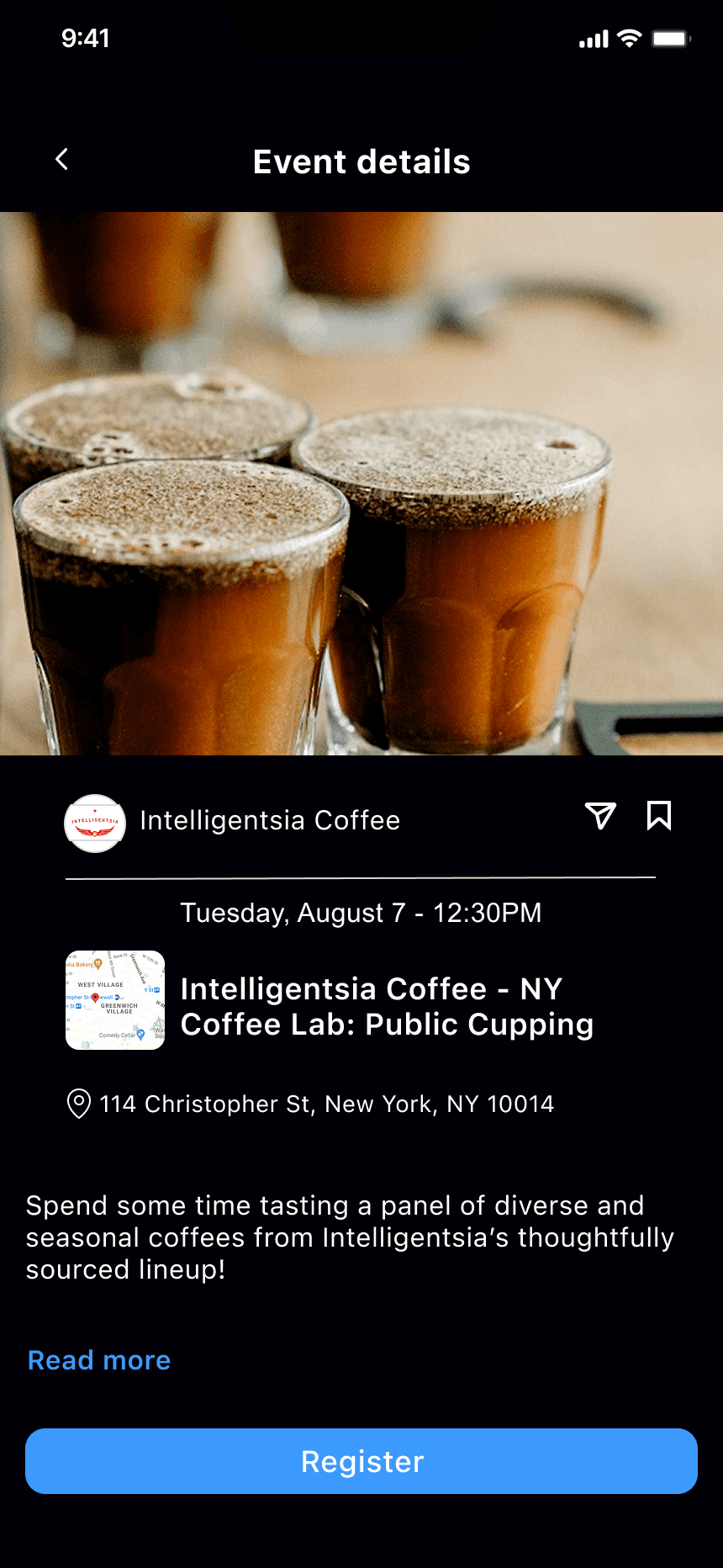
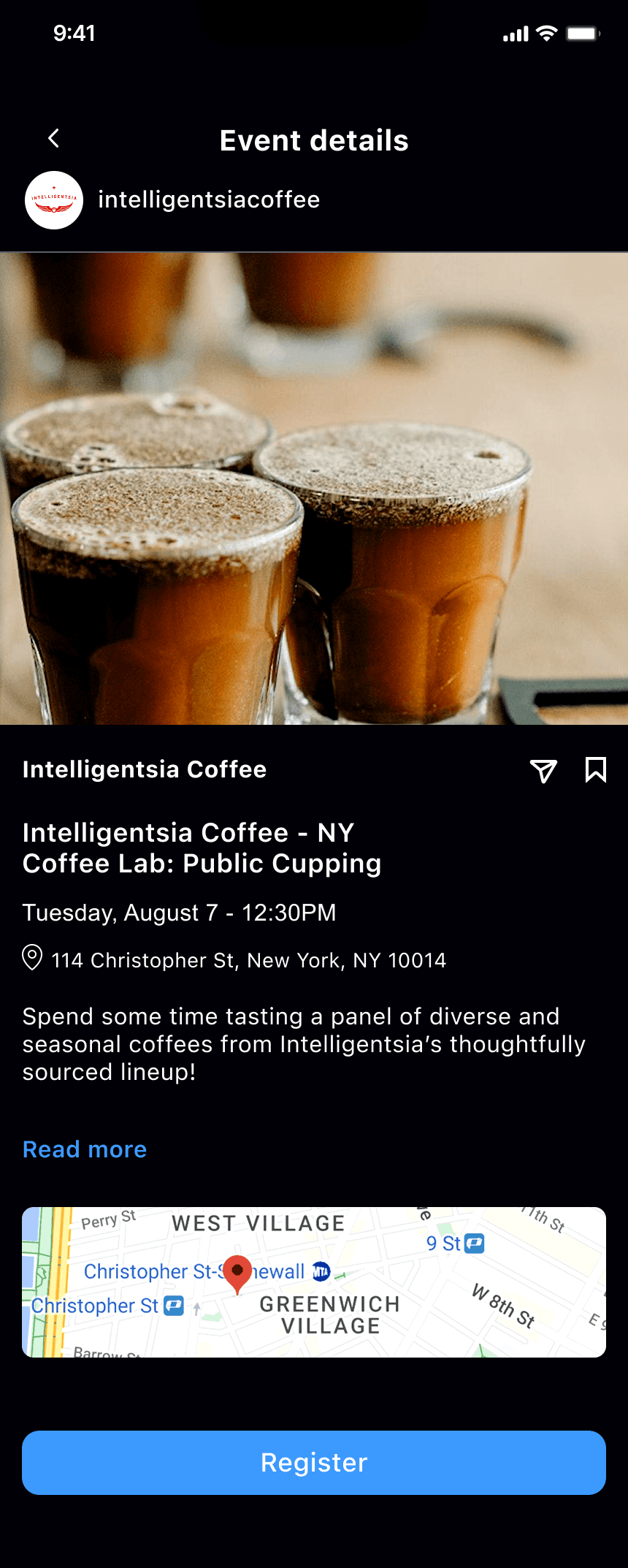
Adding an event discovery feature to Instagram - letting users create, discover, and engage with events seamlessly, without ever leaving the platform.
Role
UX/UI Designer
Type
Concept / Feature
Tools
Figma
Platform
iOS, Android
Team
Solo designer
The Problem
Instagram lacks a dedicated events feature, creating friction in event discovery and promotion. Users struggle to find events they care about, promote events effectively, and engage with hosts and other attendees - so they leave for Facebook and Eventbrite.
The Goal
Create a dedicated events feature where discovering, creating, and engaging with events feels effortless and connected - keeping the entire experience inside Instagram.
User Research
Users loved discovering events on Instagram - but had to leave it to act on them.
01
Hard to discover events
Users resort to Facebook and Eventbrite for event info, leaving Instagram entirely.
02
Limited engagement
No meaningful interaction beyond RSVPing or viewing - coordination shifts to DMs and group chats.
03
Broken flow
Event details get shared through third-party apps, repeatedly breaking the user's flow.
Opportunities from Research
Three ways to keep the whole event experience inside Instagram.
01
Improved in-app event exploration
Event exploration tools for easier discovery - so users don't need to leave Instagram to find events they care about.
02
Attendee connections
Features that connect attendees based on shared interests and event participation - making events social, not just informational.
03
Personalized recommendations & sharing
Personalized event recommendations and simplified in-app sharing to keep the entire experience within the platform.
Personas
An attendee and an organizer - two sides of the same feature.
M
Maya24 · Content Creator · Brooklyn
The Event Explorer
"I see cool events on Instagram all the time, but by the weekend I've forgotten everything I wanted to do."
Goals
Discover events matching interests
Connect with like-minded attendees
Save events and get reminders
Frustrations
Scattered event info across platforms
Hard to find quality events
Limited networking at events
A
Alex31 · Event Organizer · Manhattan
The Event Organizer
"I want to reach the right audience and manage everything in one place instead of juggling platforms."
Goals
Reach the target audience
Manage attendance and RSVPs
Engage attendees before and after
Frustrations
Limited promotion tools
Hard to track RSVPs
No integrated communication
User Flow
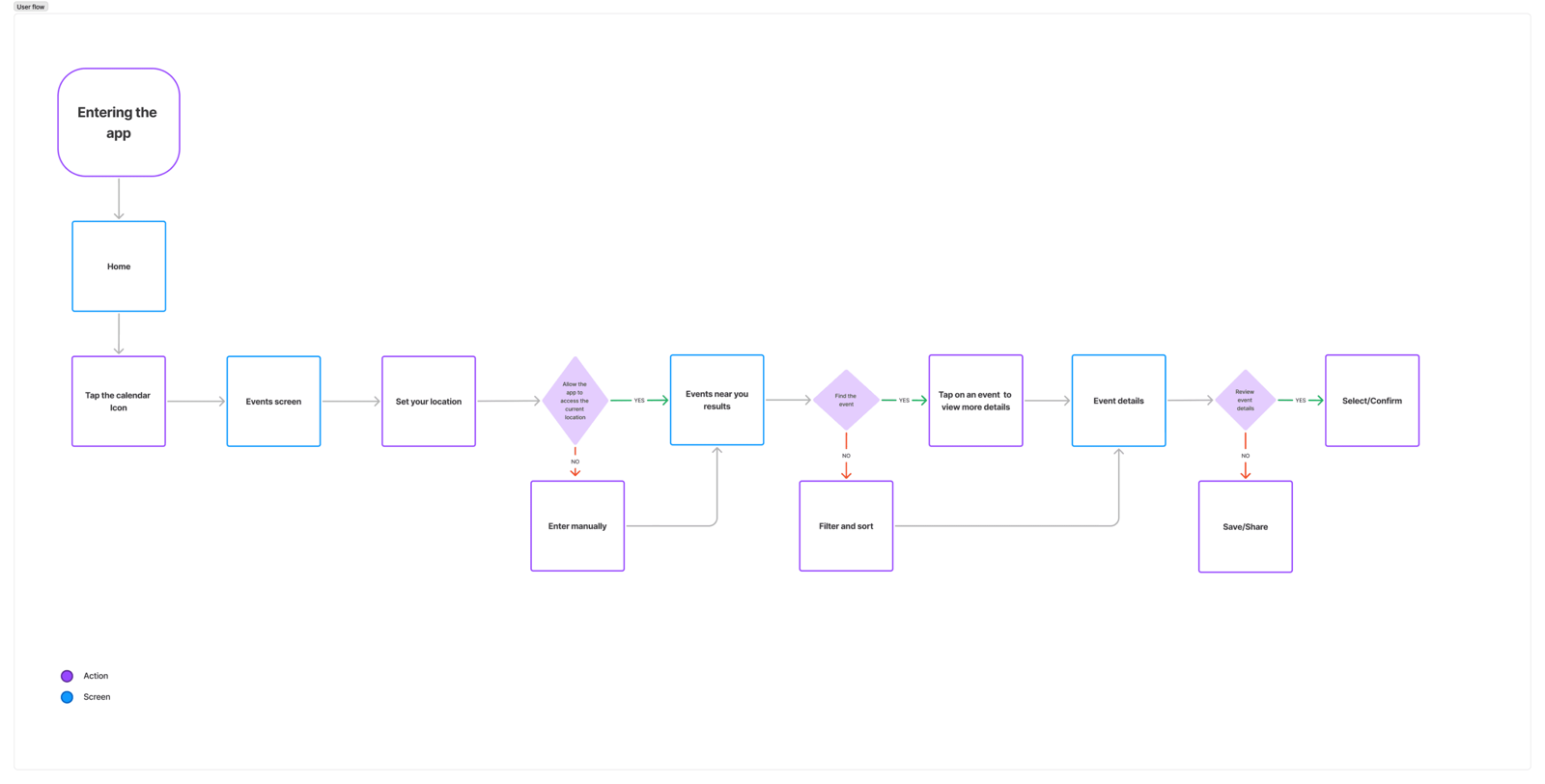
How a user discovers and engages with events.
The end-to-end flow, entirely inside Instagram.
Feature Prioritization · MoSCoW
Scoping the feature set.
I used a MoSCoW matrix to decide what shipped first - prioritizing the discovery and engagement features users needed most.
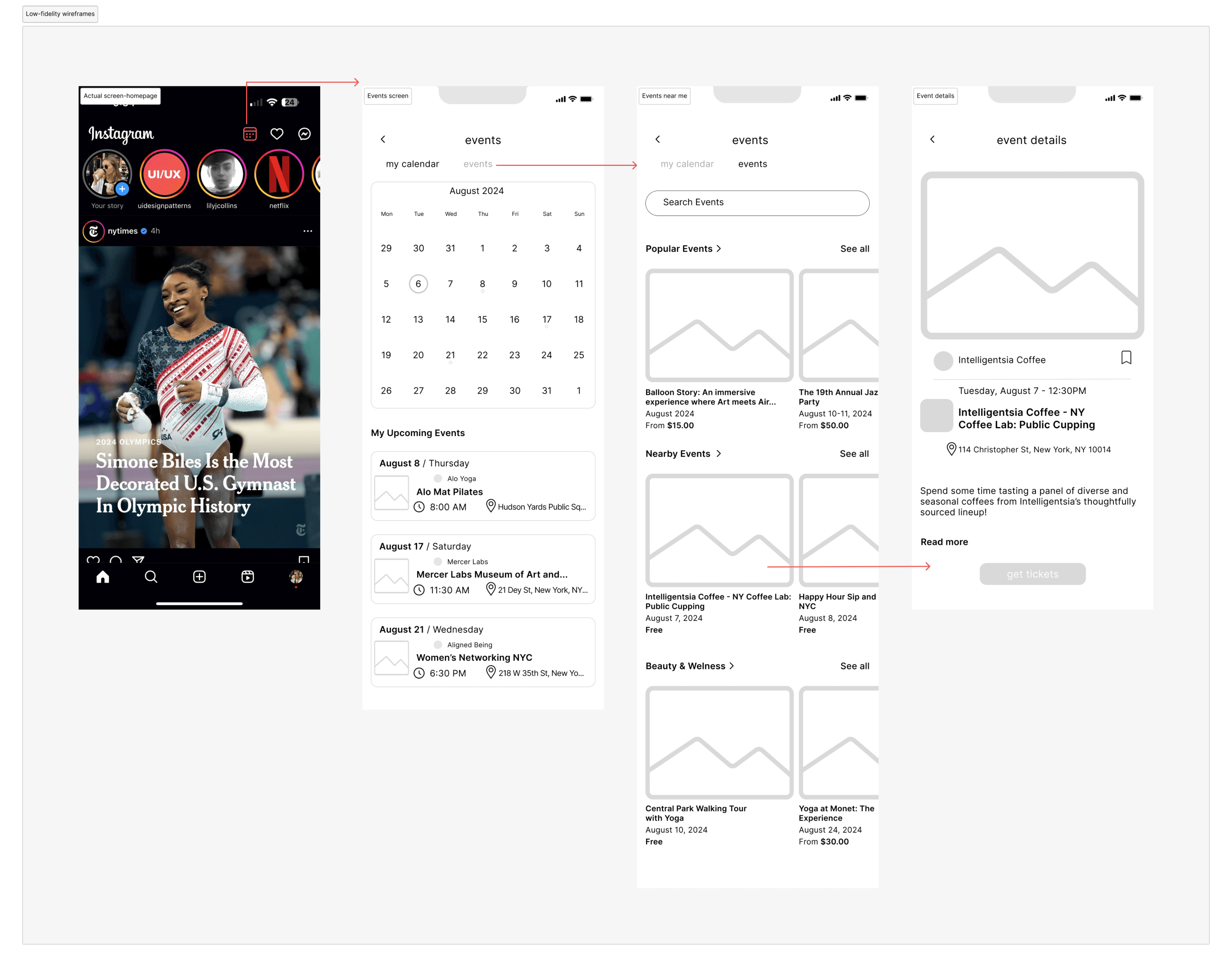
I wireframed the core screens - a calendar interface for browsing events, an events listing with filters, and detailed event pages - all designed mobile-first before adding visuals.
Low-fidelity wireframes for the calendar, events listing, and event detail screens.
Usability Testing · 7 participants
Familiar patterns made the feature feel native, not bolted on.
6/7
found discovery effortless
5/7
comfortable sharing in-app
5/7
understood saving clearly
7
participants tested
Design Evolution
Iterating from testing insights.
Based on what I learned in testing, I refined the design to improve information hierarchy and space utilization.
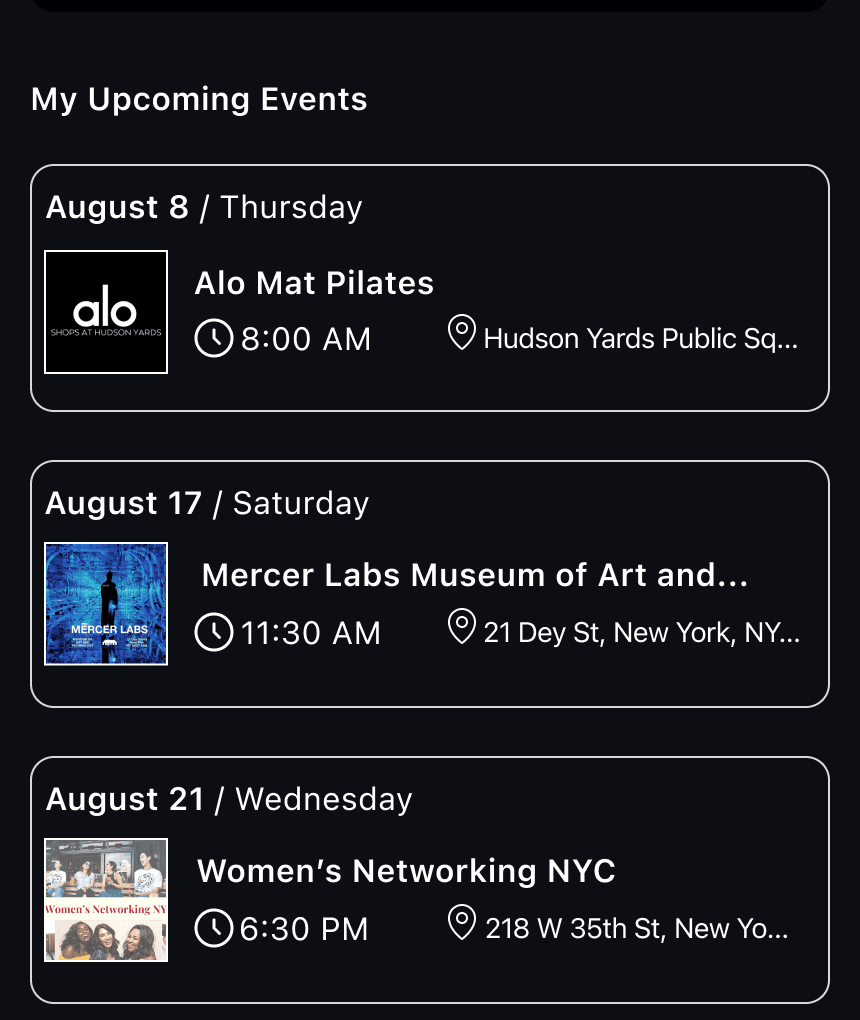
Events list: cards → list
Before · CardsCards caused visual clutter, poor space use, and reduced scannability.After · ListA list format gave better hierarchy, a cleaner interface, and more efficient space use.
Event details: map
BeforeA simple map thumbnail with limited spatial context for the venue.AfterAn integrated full map - improved spatial context and navigation assistance.
Final Design & Prototype
The events feature, end to end.
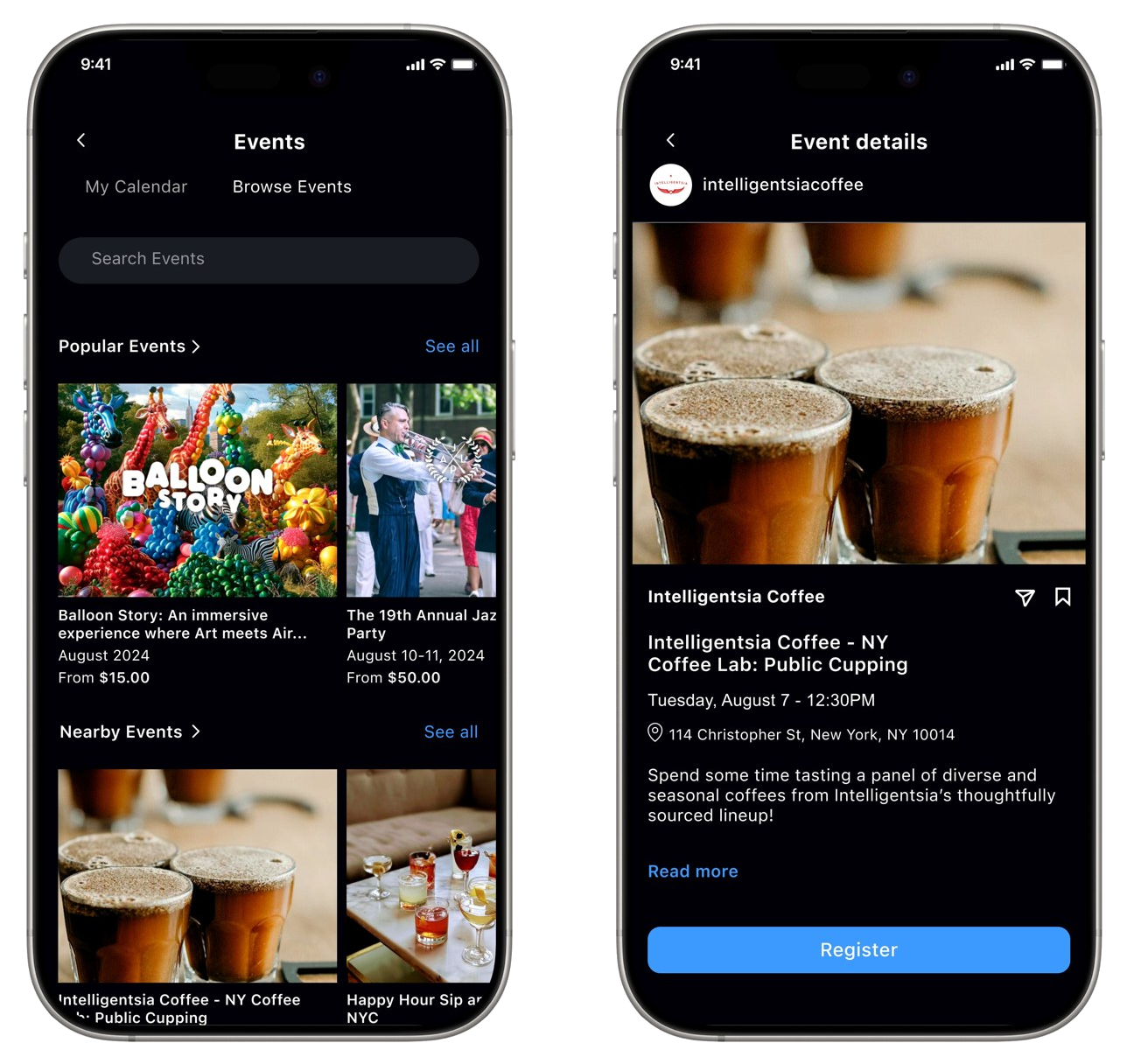
The interactive prototype covers the complete event experience - from discovery through the calendar view, to event details with an integrated map, RSVP, and in-app sharing.
Interactive prototype
Learnings
What I took away.
01
Leverage familiar patterns
The calendar view - a pattern users already understand - reduced friction. Familiar models accelerate adoption more than novel ones.
02
Platform alignment is essential
Seamless integration with Instagram's design language drove engagement. The feature had to feel native.
03
List beats cards for scannability
Moving from cards to a list improved information density - users evaluated more events faster, with less scrolling.
04
Context drives engagement
Adding an integrated map to event details turned browsing into commitment by giving spatial confidence.